Mobile editing on Wikipedia
Evergreen Community garden #collaboration
Making it easier to edit Wikipedia from a phone.
The problem
More contributors were on phones, but editing there felt slow and was hard to navigate.
What I did
Set design principles with the PM and engineers, then improved perceived performance, section editing and the toolbar.
What changed
Contributors were 78% more likely to finish the edits they started, against a goal of 10%.
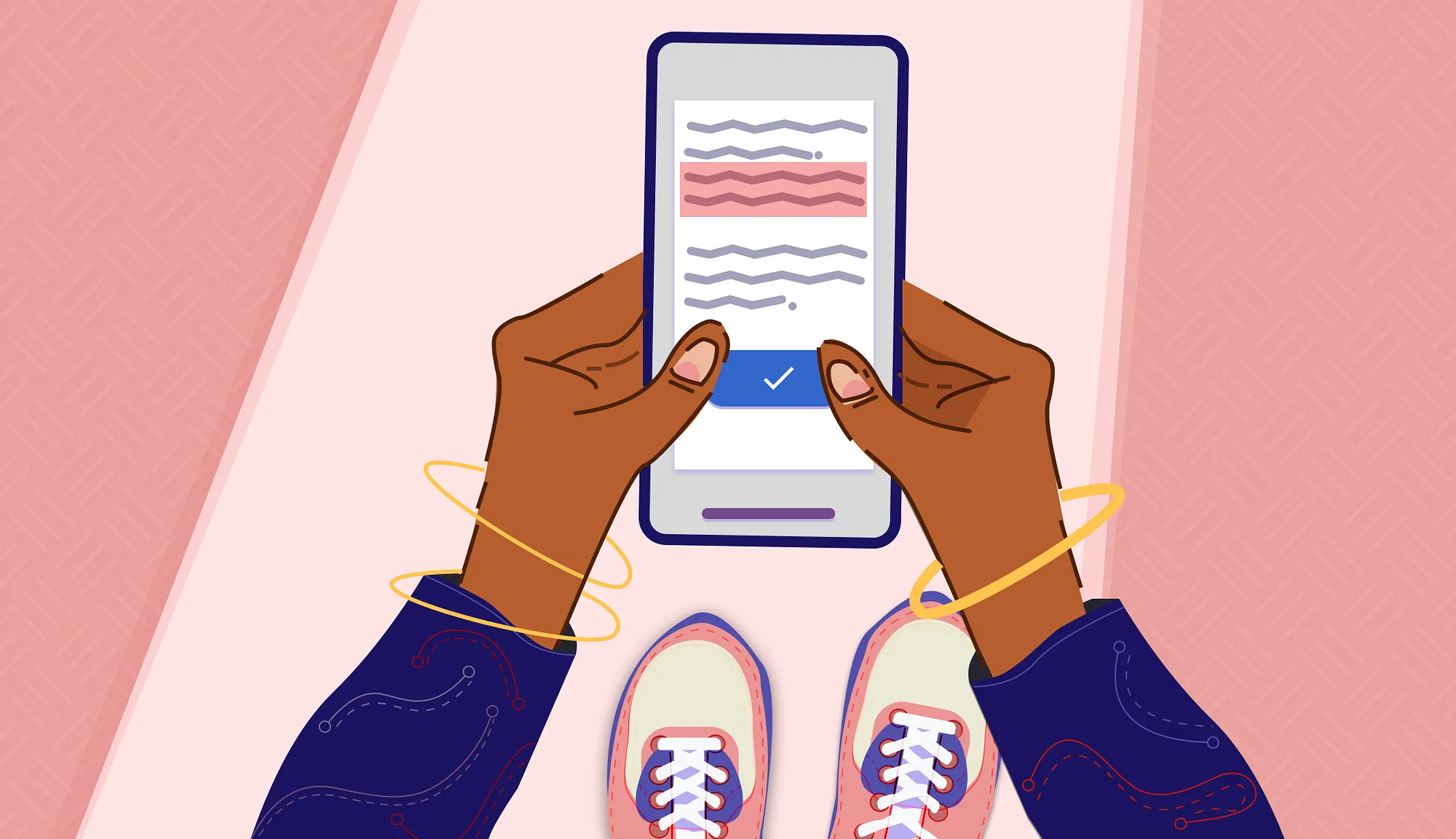
Hypothesis
Providing a mobile-first editing interface will empower millions of Wikipedia contributors to edit on the go, because contributors increasingly access the web from their mobile devices rather than desktops.”
intervention action logic
5 Ways I Improved the mobile experience + a bonus prototype for the future
- Defining a tactical approach
We approached this work with the goal to help users stay focused on their edit. By creating a set of guiding principles (which you can read more about), the product manager, engineers, and I had a set of tools for evaluating product decisions that impacted the direction of the editing tool.
- Improving perceived performance
Problem: the editor feels slow to load
Solution: a smoother transition between reading and editing
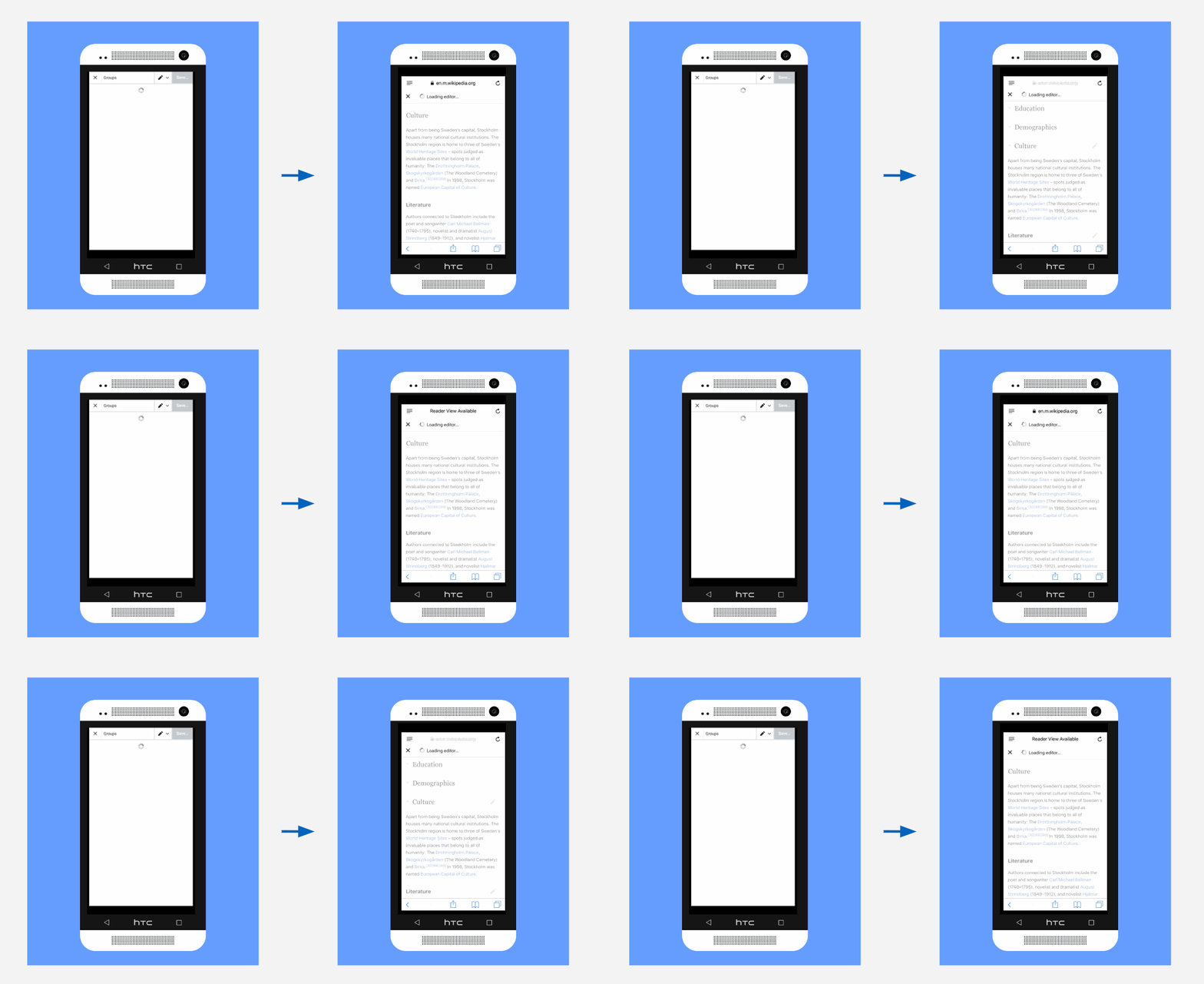
From a white screen with a subtle throbber to a fully animated transition.
Image by Jess Klein /Wikimedia Foundation, CC BY-SA 3.0.
- Streamlining in-article wayfinding through section editing
Problem: it’s hard to find what you want to edit
Solution: remove all distracting text to allow for editing of this section
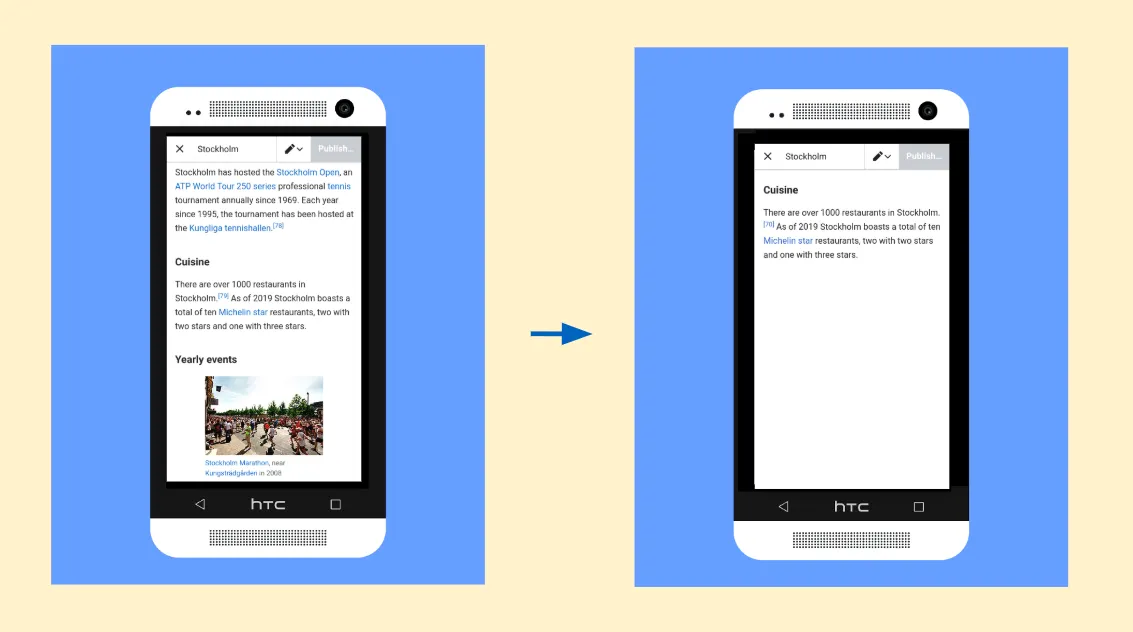
Click the pencil icon and get to just that specific section within the mobile editing mode.
Image by Jess Klein /Wikimedia Foundation, CC BY-SA 3.0.
- Unifying the toolbar interface
Problem: contributors can’t find the tools they need when they need them
Solution: a single toolbar with all tools visible
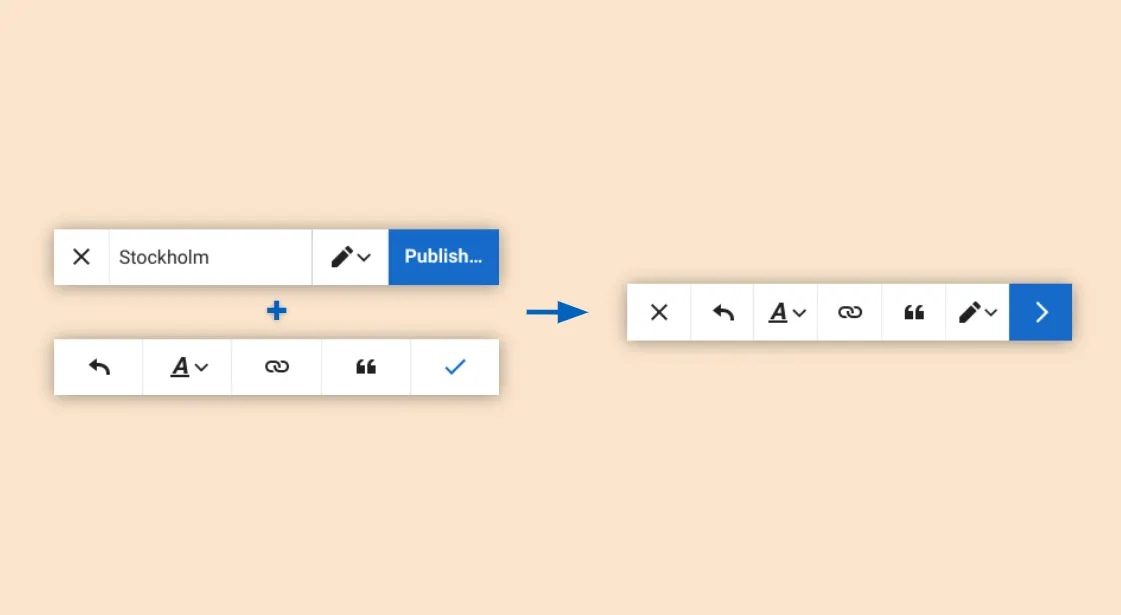
Stop the flickering!!!! We improved the interface by creating a single-state toolbar.
Image by Jess Klein /Wikimedia Foundation, CC BY-SA 3.0.
- Contextualized edit cards
Problem: the editor feels cramped
Solution: create more space by changing how and where edit actions are shown.
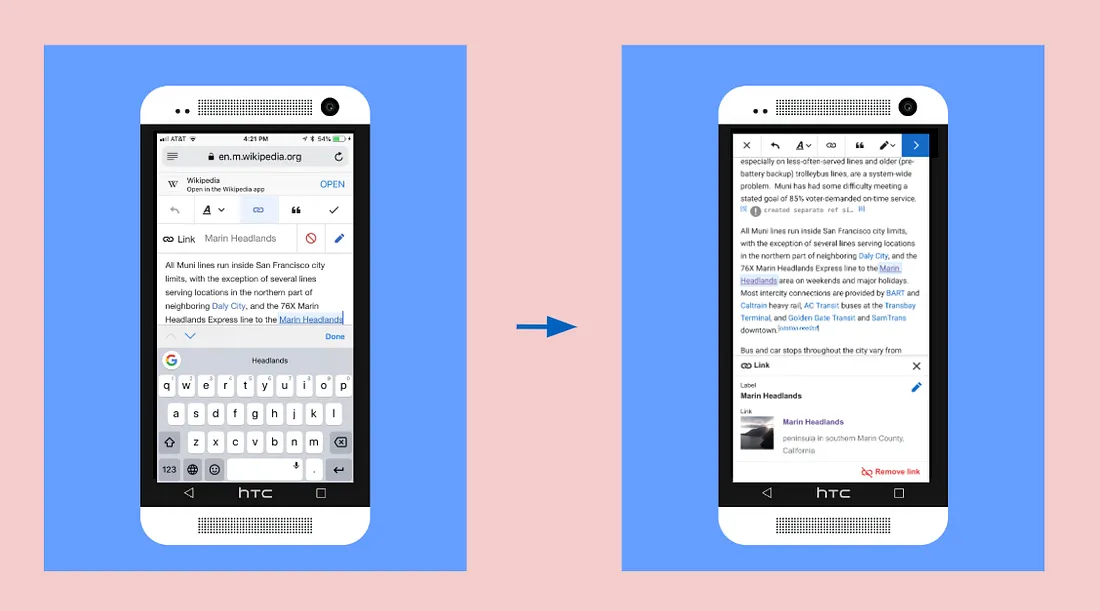
This gives us flexibility to incorporate more templated card types using this new type of pattern.
Edit templates allow us to facilitate a smoother edit experience.
Image by Jess Klein /Wikimedia Foundation, CC BY-SA 3.0.
BONUS: Prototyping experimental future features
Opportunity: a mobile device has unique capabilities that only can be done on mobile
Solution: a prototype that utilizes a scanner on a phone to detect the ISBN barcode and translate that into a citation.
This video shows Ed Sanders pointing his camera at a barcode using a prototype which captures an ISBN scan and converts it to a citation ready for in-wiki use! I do not claim any allegiance to Arsenal, the video was taken by Mr. Sanders.
Image by Ed Sanders /Wikimedia Foundation, CC BY-SA 3.0.
Impact
At the start of the project, we set a goal of increasing the likelihood contributors will complete the edits they start by 10%. At the end of the project, our analysis showed the interventions we deployed increased this likelihood by 78%.
- Peter Pelberg, Product Manager
Writing about this work
Writing about this
Nov 2019How we simplified mobile editing on WikipediaMedium